Logitech K780 Review: Is This the Best Multi-Device Keyboard for Everyday Work?
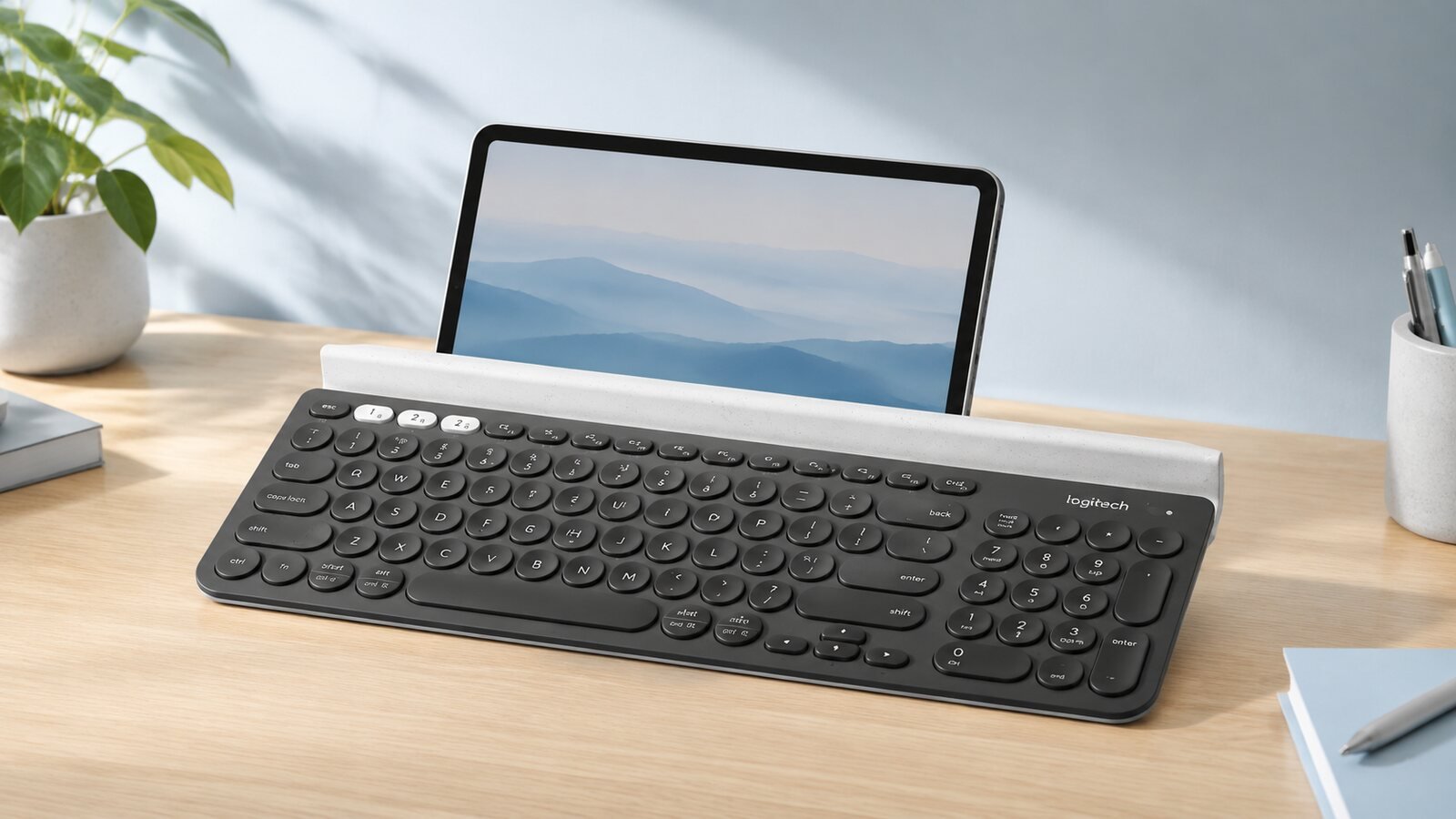
Quick Answer: Is the Logitech K780 Worth It?
Yes, especially if you regularly type on a computer, tablet, and phone from one desk. Its dedicated Easy-Switch keys and built-in cradle create a cleaner multi-device workflow than a conventional office keyboard. The tradeoffs are its large footprint, lack of backlighting, and round keys that may require a short adjustment period.
1. Design and Device Cradle
The K780's defining feature is the long cradle above the keys. It can keep compatible mobile devices upright while you type, avoiding a separate tablet stand. The graphite body and circular keys give it a distinctive look, while the number pad makes it practical for spreadsheets and regular office work.
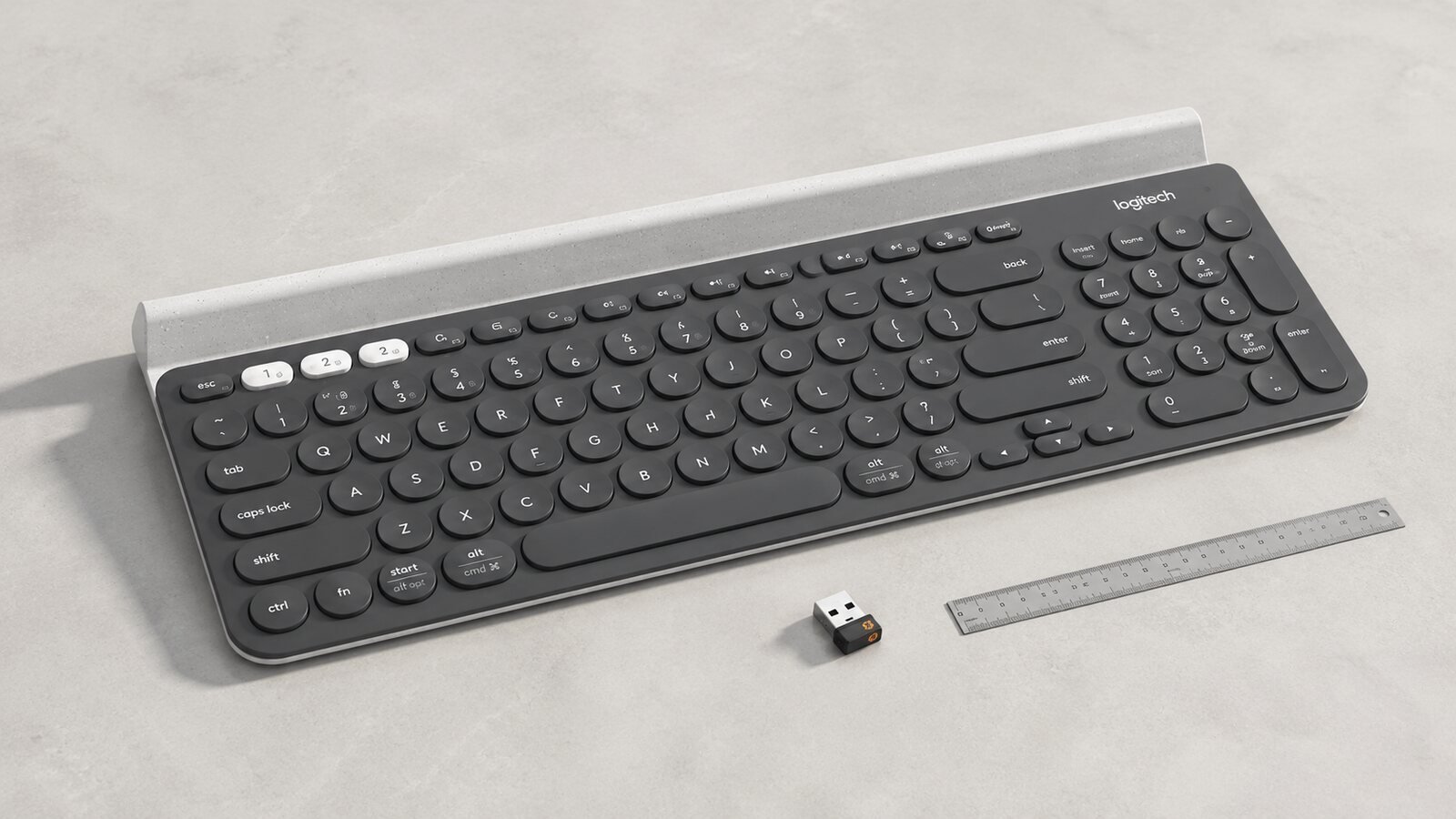
The cradle adds real utility, but the K780 is wide and better suited to a permanent desk than a travel bag.
2. Typing Experience
The rounded, low-profile keys are designed for quiet everyday typing. They feel different from square laptop keys and mechanical switches, so accuracy may improve after a brief learning period. The layout includes familiar shortcuts and a full number pad, making the K780 more useful for productivity than compact tablet keyboards.

The low-profile design suits libraries, shared offices, and home workspaces where loud mechanical switches would be distracting.
3. Switching Between Three Devices
Three white Easy-Switch keys let the keyboard move among paired devices. A typical setup might connect a desktop or laptop, a tablet, and a phone. The benefit is not raw typing speed; it is continuity—replying to a message on a phone and returning to a document without changing keyboards.
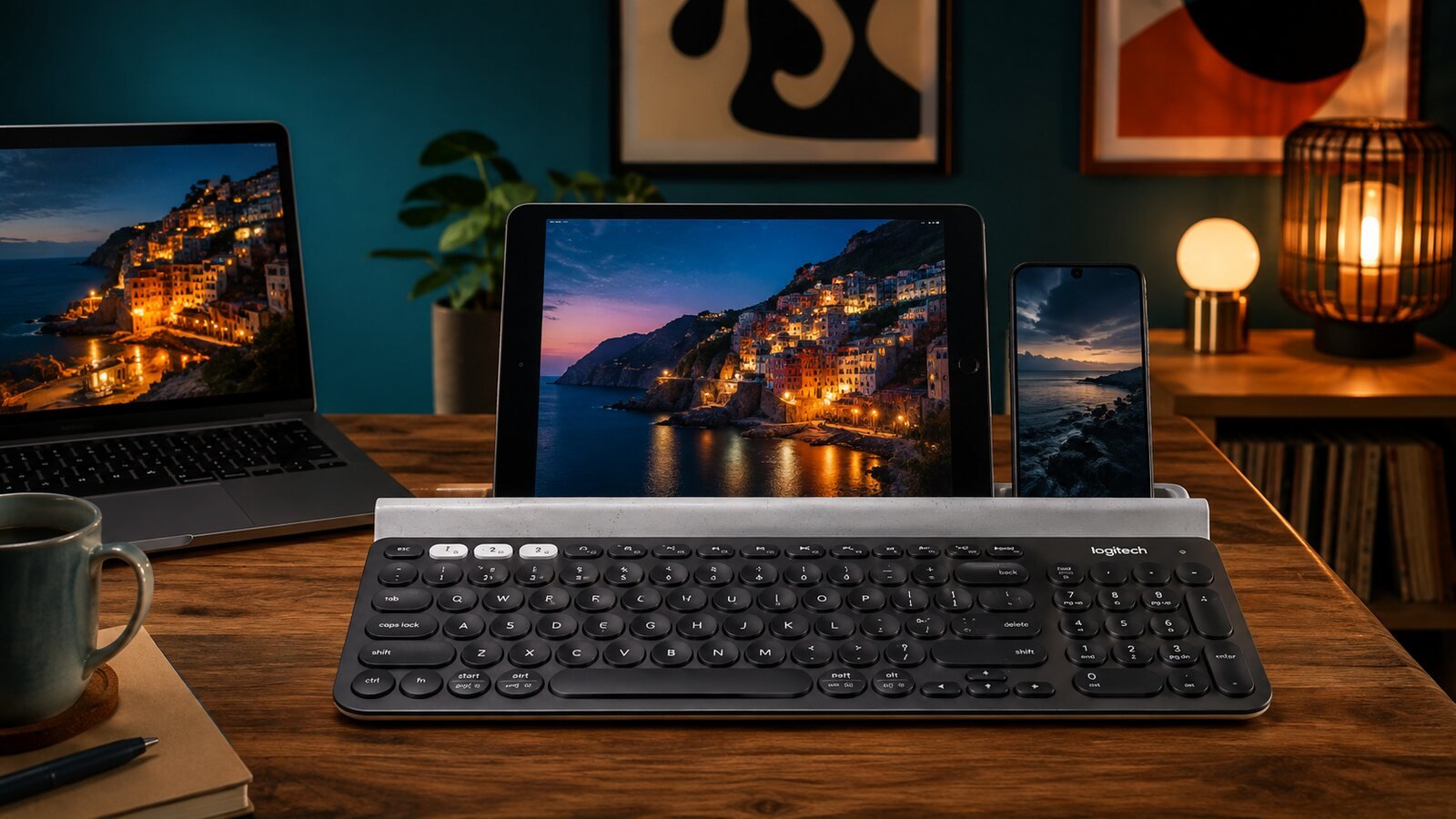
The K780 is most compelling when the cradle and Easy-Switch buttons are used together rather than as a basic single-computer keyboard.
4. Key Features at a Glance
Three Easy-Switch Keys
Move among up to three paired compatible devices.
Integrated Cradle
Holds compatible phones and tablets at a readable angle, including devices up to a 12-inch iPad according to Logitech.
Full-Size Layout
Includes a number pad for spreadsheets and data entry while using a relatively compact frame.
Long Battery Claim
Logitech advertises up to 24 months from two AAA batteries, depending on use.
5. Connectivity, Compatibility, and Setup
The K780 connects through Bluetooth or Logitech's Unifying USB receiver. That distinction matters: the older Unifying receiver and newer Logi Bolt receiver are separate systems, so buyers should not assume that a Bolt dongle will pair with the K780.
Logitech lists support for Windows, macOS, ChromeOS, Android, iOS, and iPadOS. The keyboard adapts common shortcuts to the selected operating system, which is useful when moving from a Windows computer to an iPad or Mac.
6. Pros & Cons
Pros
- Fast switching among three devices
- Built-in phone and tablet cradle
- Quiet Perfect Stroke round keys
- Full-size number pad in a space-conscious layout
- Broad computer and mobile compatibility
Cons
- No key backlighting
- Large and relatively heavy for travel
- Round keys require adjustment for some users
- No integrated wrist rest
- Uses replaceable batteries rather than USB charging
- Uses Unifying rather than Logi Bolt receiver technology
7. K780 vs K650 vs K980
Each model serves a different buyer. The K780 is the strongest fit for a phone-and-tablet workflow, the K650 prioritizes wrist support and familiar comfort, and the K980 targets a slim light-powered desk.
| Feature | K780 | K650 | K980 Solar+ |
|---|---|---|---|
| Best feature | Device cradle and 3-device switching | Integrated wrist rest | Light-powered convenience |
| Number pad | Yes | Yes | Yes |
| Power | Two AAA batteries; up to 24 months advertised | Two AA batteries; up to 36 months advertised | Natural and artificial light |
| Receiver system | Unifying receiver or Bluetooth | Logi Bolt receiver or Bluetooth | Check the regional package |
| Best for | Computer, tablet, and phone users | Comfort-focused office typing | Slim, low-maintenance workspaces |
See our K650 review, K980 review, K650 vs K980 comparison, or dedicated K650 vs K780 comparison for more detail.
8. Who Should Buy It?
Best for
- People who type across a computer, tablet, and phone
- Home-office users who want a built-in device stand
- Quiet shared workspaces
- Spreadsheet users who need a number pad
Consider another keyboard if
- You need backlit keys
- You want a compact travel keyboard
- You prefer mechanical switches
- You want a built-in palm rest
9. Frequently Asked Questions
Can the Logitech K780 connect to three devices?
Yes. It can pair with up to three compatible devices and switch among them with the white Easy-Switch keys.
Does the K780 work with phones and tablets?
Yes, with compatible Bluetooth devices. Logitech says the integrated cradle can accommodate devices up to a 12-inch iPad, but thick cases may affect fit.
Is the Logitech K780 backlit?
No. Buyers who frequently type in dark rooms should consider a backlit alternative.
Is the K780 good for office work?
Yes. Quiet keys, a number pad, and multi-device switching make it practical for productivity, although its wide body needs adequate desk space.
Does the K780 use a Logi Bolt receiver?
No. Logitech lists Bluetooth and its Unifying USB receiver for this model. Unifying and Logi Bolt are different receiver systems.
10. Final Verdict
The Logitech K780 remains unusually useful because its cradle and three-device switching solve a real desk problem. It is not the lightest or most modern-looking keyboard, but it is a strong value for people who work across computers and mobile devices.
View on AmazonSources and Review Method
This editorial review is based on manufacturer specifications and intended-use analysis. TechPick Lab does not claim that this specific unit was personally tested. Images are AI-generated photo-style illustrations and are not official product photographs.