Logitech K980 Review: Is the Signature Slim Solar+ Keyboard Worth It?
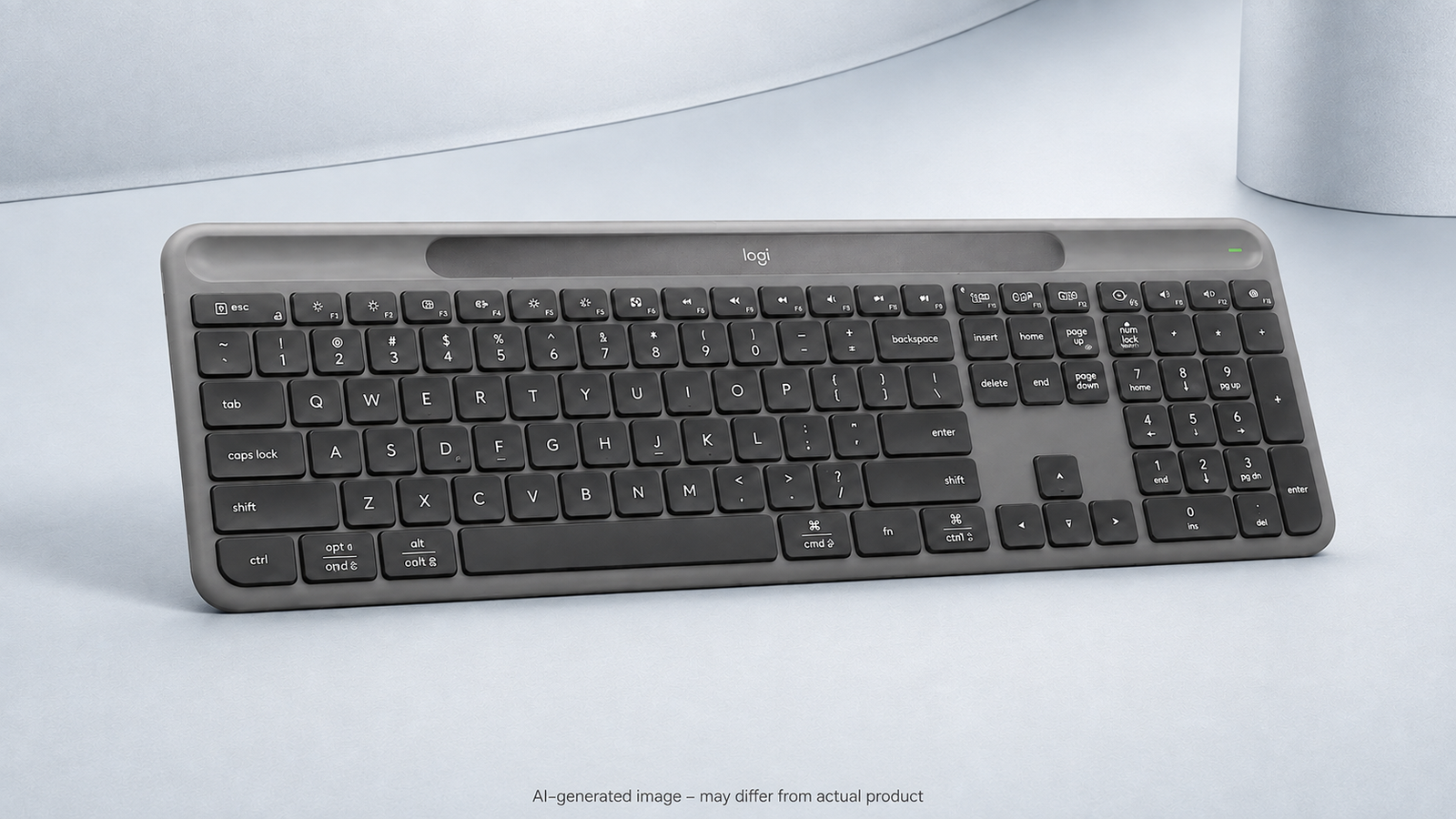
Quick Answer: Is the Logitech K980 Worth It?
Yes, for users who want a low-maintenance full-size keyboard for more than one device. The K980's biggest advantage is Logi LightCharge, which uses solar or artificial light and stores power for use in darker conditions. Its slim layout, Easy-Switch controls, and customizable keys suit productivity setups. It is less compelling if you prefer an integrated palm rest, backlit keys, or a mechanical typing feel.
1. Light-Powered Design
The K980 uses a light-absorbent strip above the keys rather than a charging port. Logitech says Logi LightCharge combines that strip with a durable internal battery, using both natural and artificial light. Stored energy can support up to four months of use in total darkness, while the battery is designed for a lifespan of up to ten years.
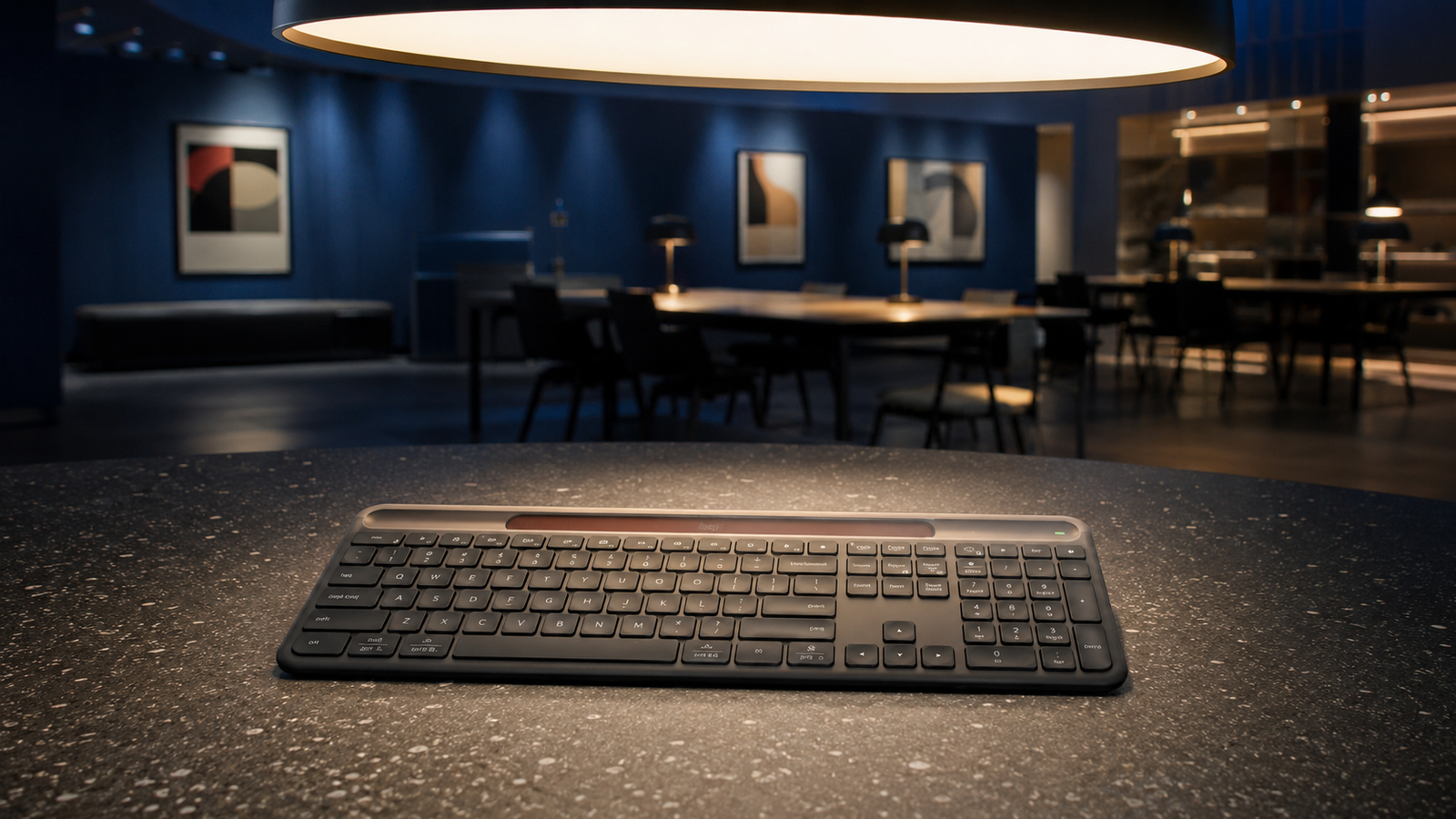
The keyboard does not need to sit in direct sunlight. A normally illuminated workspace can supply the system with energy, reducing charging clutter without forcing a desk next to a window.
2. Slim Full-Size Typing
The K980 combines a number pad with a slim low-profile design. That makes it suited to spreadsheets, office work, and regular data entry without the height or sound of a mechanical keyboard. Logitech describes the typing experience as quiet and comfortable, but users who need a cushioned wrist rest should note that one is not built in.

The low-profile shape supports a clean desktop and quiet shared-space use. The full-width design still requires more room than a compact keyboard, so it is better for a fixed desk than frequent travel.
3. Multi-Device Productivity
The K980 can work with up to three devices and lets users move among them with Easy-Switch controls. That is useful when a desk includes a laptop, tablet, or second computer. Bluetooth keeps the setup cable-free, while Logi Options+ adds customizable keys and Smart Actions for automating repeated tasks.

Switching between a laptop and tablet is the K980's clearest productivity advantage over a basic single-device office keyboard.
4. Key Features at a Glance
Logi LightCharge
Uses solar and artificial light rather than routine USB charging.
Three-Device Support
Easy-Switch controls help move among compatible devices.
Full-Size Layout
Includes a number pad for spreadsheets and data entry.
Logi Options+
Supports customizable keys and Smart Actions on compatible systems.
5. Pros & Cons
Pros
- Charges from solar and artificial light
- Can store power for dark conditions
- Supports up to three devices
- Slim full-size layout with number pad
- Customizable productivity controls
- No routine charging cable or battery replacement
Cons
- No integrated palm rest
- No key backlighting
- Full-size footprint is not travel friendly
- Not designed for mechanical-keyboard fans
- Advanced customization depends on Logi Options+
6. Who Should Buy It?
Best for
- Home-office users who dislike charging accessories
- People who work across a laptop, tablet, and desktop
- Spreadsheet users who need a number pad
- Quiet shared offices and clean cable-free desks
Consider another keyboard if
- You want built-in wrist support
- You type in very dark rooms and need illuminated keys
- You prefer mechanical switches
- You need a compact keyboard for travel
7. Logitech K980 vs K650
The two Signature keyboards target different priorities. The K980 emphasizes a slim light-powered design and multi-device workflow, while the K650 focuses on familiar comfort and an integrated palm rest.
| Feature | Logitech K980 Solar+ | Logitech Signature K650 |
|---|---|---|
| Main advantage | Light-powered convenience and multi-device work | Integrated palm rest and straightforward comfort |
| Power | Solar and artificial light with stored energy | Replaceable batteries; advertised up to 36 months |
| Device switching | Easy-Switch for up to three devices | Better suited to a simpler everyday desk setup |
| Palm rest | Not integrated | Integrated palm rest |
| Number pad | Yes | Yes |
| Best for | Low-maintenance, multi-device productivity | Comfortable everyday office typing |
If comfort is your first priority, read our Logitech Signature K650 review. Choose the K980 when eliminating routine charging and moving among several devices matter more.
Product specifications were checked against Logitech's official K980 and K650 pages.
8. Frequently Asked Questions
Does the Logitech K980 need direct sunlight?
No. Logitech says the K980 uses both solar and artificial light, so a normally illuminated indoor workspace can help power it.
Can the Logitech K980 work in the dark?
Yes. Logitech states that the system can store enough energy for up to four months in total darkness, depending on conditions.
Does the Logitech K980 have backlit keys?
No. The keys are not backlit. Users who frequently type in dark rooms may prefer another keyboard.
How many devices can it connect to?
The K980 supports up to three devices and offers Easy-Switch controls for moving among them.
Is the Logitech K980 better than the K650?
The K980 is better for light-powered convenience, a slimmer profile, and multi-device work. The K650 is better for buyers who want an integrated palm rest and a simpler comfort-focused keyboard.
9. Final Verdict
The Logitech Signature Slim Solar+ K980 is a compelling productivity keyboard for users who want full-size typing without thinking about charging. Its light-powered system and three-device workflow stand out, while the lack of backlighting and palm support are the main compromises.
View on AmazonReview Disclosure
This editorial review is based on publicly available product information and intended use. TechPick Lab does not claim that this specific unit was personally tested. The images are AI-generated photo-style illustrations and are not official product photographs.